How to Design Custom Faith Apparel That People Actually Wear
Last Updated: November 5, 2026
Quick Summary
Design custom faith apparel by writing your message in one sentence before opening any design tool, then keeping it to three to seven words. Build the design around one focal point, a restricted two-color palette, and type chosen before art, so the piece reads as fashion first and faith second.
- Write your message in a single sentence before you touch a design tool.
- Keep the message short enough to read across a room, ideally three to seven words.
- Pick one focal point and restrict the palette to two colors maximum.
- Choose type before art; a clean heavy sans-serif or refined serif carries more weight.
- Sketch layout thumbnails on paper first, since paper forces hierarchy while software invites clutter.
Table of Contents
- Start With a Message Worth Wearing
- Custom Christian T-Shirt Design Ideas That Skip the Clichés
- Bible Verse Shirt Design: Choosing Words That Fit the Garment
- Custom Apparel Design Tools for Non-Designers
- Choosing Blanks, Printing Methods and Ethical Suppliers
- Copyright, Trademarks and Religious Symbols
- How to Wash Graphic Tees So the Print Survives
- Customize Your First Faith Apparel Piece With Change Your Life Apparel
- Frequently Asked Questions
Start With a Message Worth Wearing
Custom faith apparel is clothing you design yourself to carry a spiritual message, built around a verse, phrase, or symbol that means something to you. At Change Your Life Apparel, we have learned that the design process starts long before any software opens. It starts with one question: what do you actually want to say?
Most people skip that question. They jump straight to fonts and colors, then wonder why the finished shirt feels flat.
Here is the fix. Write your message in a single sentence before you touch a design tool.
- Personal growth: "I am becoming who I was made to be"
- A verse that carried you through a hard season: "She is clothed with strength and dignity"
- A shared moment: a retreat date, a group name, a inside phrase from your small group
The best designs are specific. A shirt that says "Be Kind" competes with a thousand others. A shirt that says "Made New, Spring Retreat" belongs to one group and one memory.
Keep the message short enough to read across a room. Three to seven words works well.
Custom Christian T-Shirt Design Ideas That Skip the Clichés
The fastest way to avoid a cliché is to stop designing the shirt and start designing the feeling. Ask what emotion the wearer wants to carry that day, then build the graphic around it.
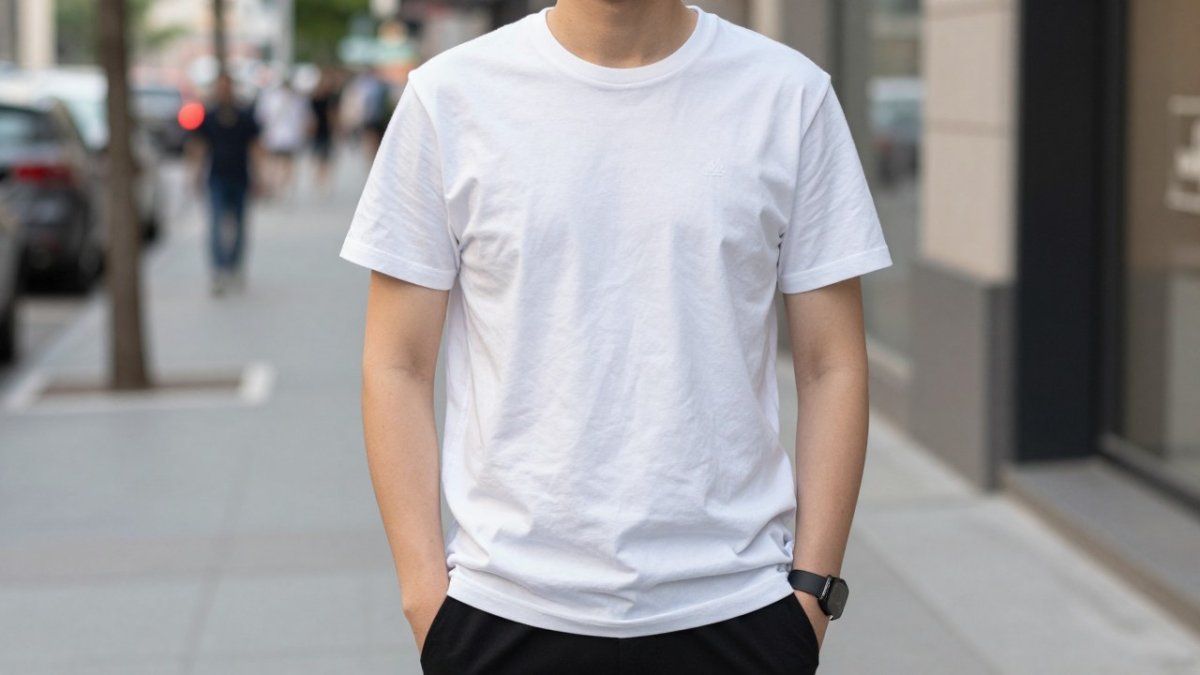
Rule 1: One focal point. A shirt with three fonts, two graphics, and a banner looks busy, not bold. Pick one element, give it space, and let the garment breathe. If you cannot describe the design in one sentence, it is not finished.
Rule 2: Borrow streetwear hierarchy, not streetwear logos. The modern formula is a small chest print paired with a larger back print, or a single type-only front.
Rule 3: Restrict the palette. Cream, olive, sand, washed black, and bone are the current neutral set. A muted palette signals intentionality; a rainbow of spot colors signals a church camp shirt.
Rule 4: Choose type before art. A single verse in a clean, heavy sans-serif or a refined serif carries more weight than a complex illustration.
Rule 5: Use symbols sparingly. A simple line-art dove, cross, or mountain with no text at all can be the most powerful option because it invites conversation instead of shouting. The restraint is the point.
Ideas that hold up under these rules:
- Small chest print, big back print. Quiet on the front, bold on the back.
- Type only, no art. A single verse in a clean, heavy font. Nothing else.
- Muted color palette. Cream, olive, sand, washed black.
- A single symbol. A simple line-art dove, cross, or mountain. No text at all.
- Hand-lettered script. One phrase, painted by hand, then digitized.
Many designers sketch the layout on paper before opening software, since paper forces hierarchy while software can invite clutter. Sketch a few thumbnails, pick the one with the fewest elements, and build only that.
Watch out: the most common cliché is not a bad verse, it is a crowded layout. Adding a second font to "balance" a design usually makes it worse. Remove an element instead.
Bible Verse Shirt Design: Choosing Words That Fit the Garment
Not every verse belongs on a shirt. A Bible verse shirt design works best when the verse is short, complete, and clear out of context.
Test your verse against three filters:
- Can it be read in three seconds? If not, shorten it or use a key phrase.
- Does it stand alone? A fragment like "and it came to pass" confuses people who do not know the chapter.
- Does it fit the space? A long verse needs a full back panel. A chest print needs six words or fewer.
Typography matters as much as the words. A serif font feels traditional and warm. A condensed sans-serif feels modern and sharp. Script feels personal but loses legibility at small sizes.
A common mistake is stretching a verse to fill the whole shirt. Let the text breathe. Empty space is part of the design, not wasted fabric.
Custom Apparel Design Tools for Non-Designers
You do not need a design degree to make a shirt, but you do need to pick the right tool for the job. Most beginners lose time because they choose software by reputation instead of by output.
There are three practical paths.
Path 1: Template editors (Canva, Adobe Express). These are the fastest route from idea to mockup. You drag text and shapes onto a canvas, pick from stock graphics, and export a PNG. They are excellent for type-only designs and simple layouts.
Path 2: Vector editors (Inkscape, Adobe Illustrator, Affinity Designer). Vector software stores shapes as math, so a logo or letterform stays razor-sharp at any size. Inkscape is free and open source; Illustrator and Affinity Designer are paid.
Path 3: A custom apparel store's built-in design studio. Many custom apparel stores embed a design tool that lets you upload art or type text and preview the finished piece before ordering. Check whether the store you choose offers this, and ask what the preview shows.
A common pattern among first-time designers is to build in a template editor, then discover the printer wants a vector file. Avoid the rework by deciding early whether you are making one shirt or a repeatable brand asset. One shirt: template editor. A brand: vector from the start.
Preparing Print-Ready Files
A print-ready file is saved at the right size, resolution, and color mode for the printer. If you are uploading your own art, follow these rules:
- Vector graphics (SVG, EPS, AI) scale cleanly at any size. Use these for text and logos.
- Raster images (PNG, JPG) need high resolution. Most printers ask for 300 DPI at final print size; a blurry phone photo will print blurry no matter how large you scale it.
- Transparent backgrounds keep the shirt color visible around your art. A white box behind your design will print as a white box.
- Layered files let a printer adjust colors without redrawing your work. Flattened files lock in mistakes.
- Color mode matters: RGB is for screens, CMYK is for print. Ask your printer which profile they want before you export.
Watch out: a design that looks crisp on a phone screen can pixelate on a 12-inch back print because the screen hides resolution problems at small sizes. Zoom to 100% at final print dimensions before you upload.
If you are not sure, ask before you order. A quick file check saves a wasted print run.
Choosing Blanks, Printing Methods and Ethical Suppliers
DTF transfers print full-color art onto a film, then heat-press it onto fabric. Screen printing pushes ink through a mesh screen and is typically used for larger runs. Heat transfer vinyl is a common option for simpler designs.
| Method | Best For | Detail Level | Order Size |
|---|---|---|---|
| DTF transfer | Photos, gradients, small runs | High | Low minimums |
| Screen printing | Bold, simple art at volume | Medium | Bulk orders |
| Heat transfer vinyl | One or two colors, names | Basic | Small batches |
Blank garment choice matters just as much. Look at fabric weight, usually listed in grams per square metre. Heavier cotton holds a print well and drapes with structure. Lighter blends feel softer but can pill faster.
On ethics, ask your supplier where the blanks come from and whether the factory is audited. The Fair Labor Association publishes accredited factory lists you can check. Sustainable options like organic cotton and recycled blends now come in modern cuts, so you no longer trade style for values.
Copyright, Trademarks and Religious Symbols
You cannot print anything you like. Copyright protects original artwork, and trademark protects brand names and logos. Some religious symbols and phrases are registered marks owned by ministries or organizations.
A few rules keep you safe:
- Do not copy another brand's design. Changing one color does not make it yours.
- Check trademark databases before using a ministry name or slogan.
- Old, public-domain symbols like a plain cross are generally free to use.
- Your own photo and text are the safest route, because you own them.
When in doubt, create original art or commission it. The U.S. Copyright Office explains what copyright covers and how registration works.
How to Wash Graphic Tees So the Print Survives
A printed shirt lasts years if you treat it right. The enemy is heat, and it attacks from three sides: the wash, the dryer, and the iron.
- Turn it inside out before washing to protect the print surface.
- Wash cold on a gentle cycle with similar colors.
- Skip fabric softener, which can break down the print bond.
- Air dry when you can. If you must tumble, use low heat.
- Never iron directly on the print. Press from the inside or use a cloth barrier.
Watch out: tossing a printed tee in a hot dryer is the single fastest way to crack and fade the design. Air drying costs nothing and adds months to the shirt's life.
Customize Your First Faith Apparel Piece With Change Your Life Apparel
Your first piece is closer than you think. Pick your message, keep it short, choose a clean design, and preview it on a real mockup before you commit.
That is what Change Your Life Apparel is built for. As the official merchandise store for the Muzik And All That Collective, we offer Christian-themed clothing and accessories made to inspire positive change. You can customize products with your own design, photo, or text, and create one-of-a-kind gifts for friends, family, or your whole small group. Our satisfaction guarantee and current prices are available on our website.
Start with a verse or phrase that means something to you. Then build the shirt around it.
Get started with Change Your Life Apparel and turn your message into something you will actually wear.
Frequently Asked Questions
How do I choose a Bible verse or message for a Christian shirt?
Pick a verse short enough to read at a glance, ideally under 12 words, and one that connects to a moment in your life or ministry rather than the most quoted option. Read it out loud and check that it still makes sense without the surrounding chapter. Pair it with a simple typeface and plenty of empty space so the words carry the design. If the verse is long, move the reference to the sleeve or back and keep the front clean.
What makes a faith-based T-shirt design look good instead of preachy?
Restraint does most of the work. Limit yourself to two colors, one typeface family and one focal element, then let the shirt breathe. Modern faith apparel leans on small chest prints, tonal embroidery and clean typography rather than full-front slogans. Test the design at thumbnail size: if the message is unreadable small, it is too busy. Also check that the phrase sounds like something you would say out loud to a friend, not a banner outside a building.
How do I prepare artwork for custom apparel printing?
Build your design in a vector program or a high-resolution raster file at 300 DPI, sized to the actual print area. Convert all text to outlines so fonts do not shift, flatten transparency and save a copy in PNG or PDF. Keep important elements at least 1 cm inside the print boundary. For DTF transfers and screen printing, the printer needs a clean file with no background and no stray layers, so name your layers clearly and send the version you actually want printed.
What should I check before ordering custom Christian apparel?
Confirm four things: the print size in centimetres against your mockup, the garment fabric and weight, the supplier's minimum order and reprint policy, and whether you have rights to any verse translation or symbol you used. Ask for a physical sample or a digital proof before a bulk run. Check the washing instructions too, since heat press prints last longer when washed cold and inside out. Ordering one test piece first saves a costly mistake on a group order.


Comments
Post a Comment